Adding new users to your account
Last updated: September 5, 2025
As account admin, you can add new users in the Account settings. You can naturally also delete them and change their privileges between admin or user. The Account settings can be found by clicking the account name in the upper-right corner and clicking Account.
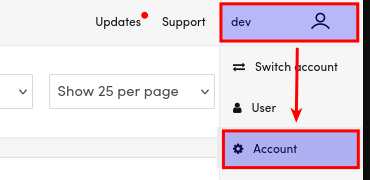
Now that you are in Account settings, go to Users tab on the left-hand menu, which is the default tab of Account settings.
- Click Create new user to account. Fill in the email, first name and last name.
- Choose between O365 (=Microsoft 365) and Password or O365 for the authentication method according to your preference. If you choose O365, it means it will be the only method of signing.
- Role can be an user or account admin. The difference is that admins can add new users to account and modify some settings that normal user cannot. Admins can, for example, add more users to the account.
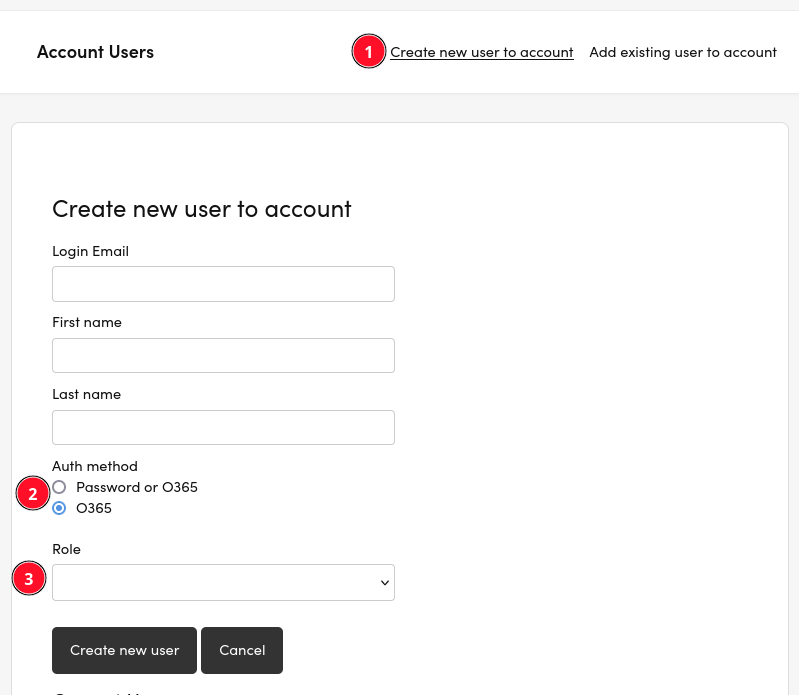
You can not change the Auth method after creating the user. Reach out to support@videosync.fi if you need to change it later.
You may need to get consent from your 365 admin to use Microsoft login for Videosync. See additional details at How to configure Microsoft Login (SSO).
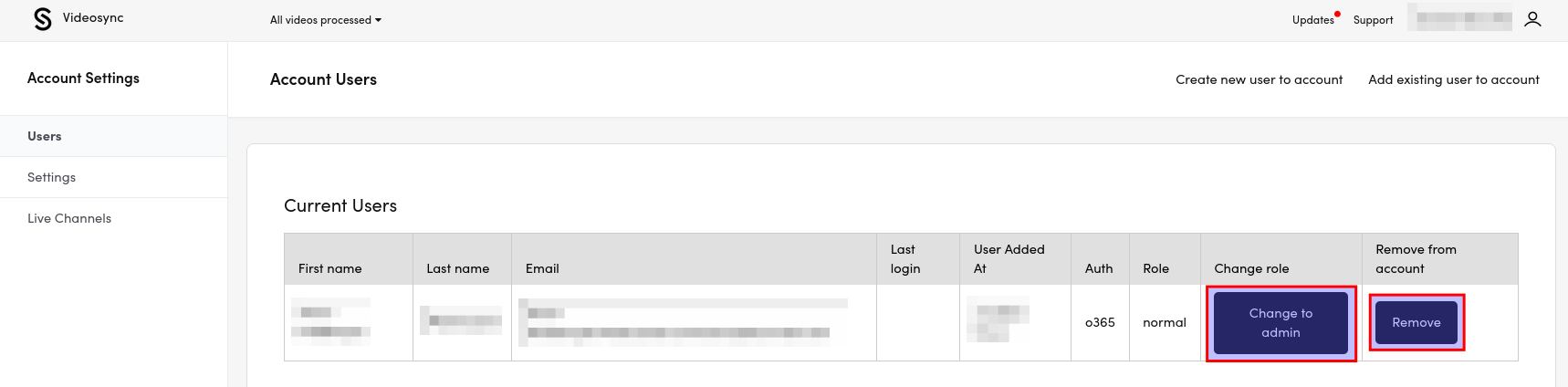
You can manage the users, particularly switching their role between admin and normal user or remove them, in the same Users tab.